 EN
EN

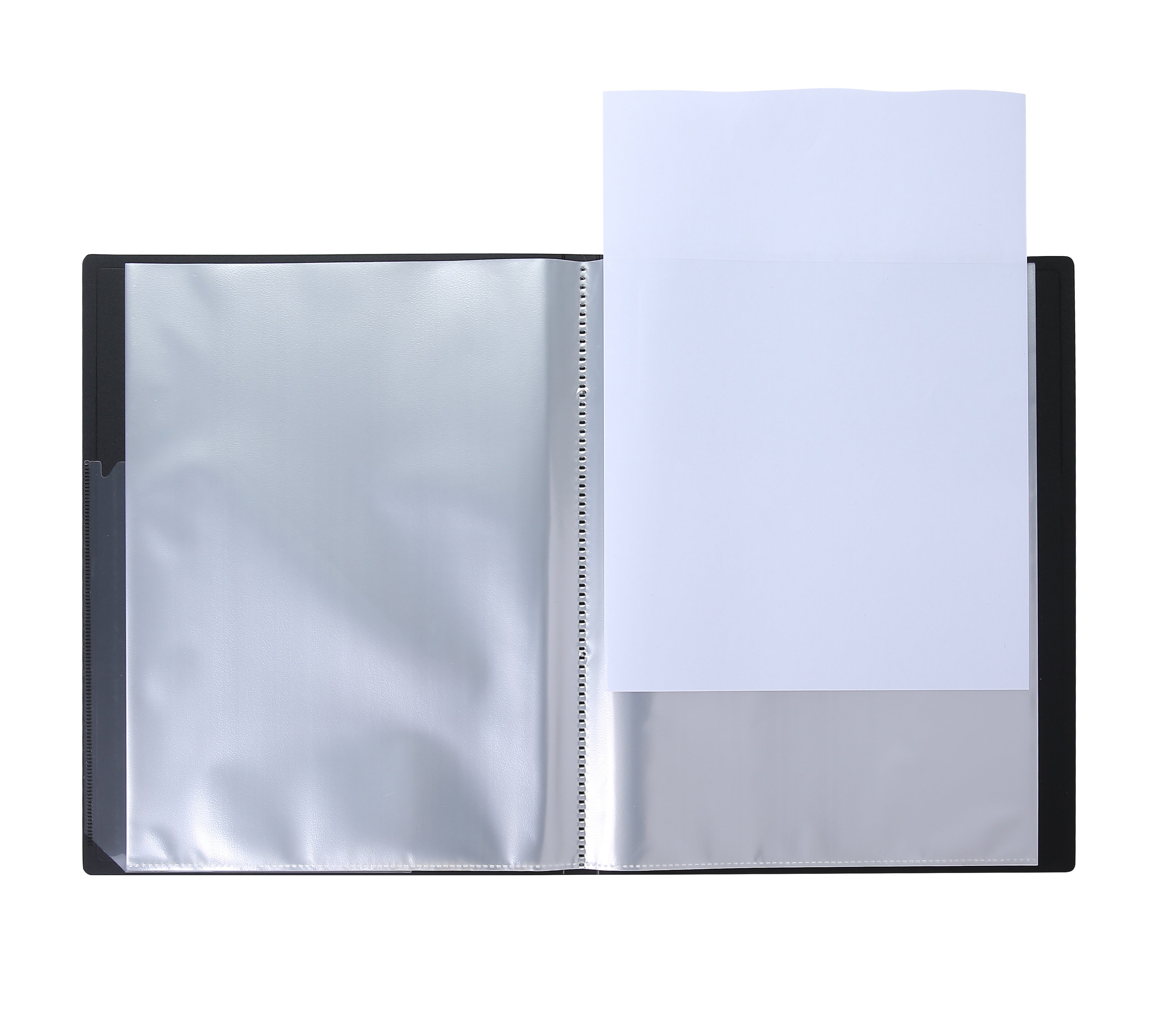
Staying organized in today's fast-paced work environment requires more than just good intentions—it demands the right tools and systems. Whether you're managing client files, project documents, or personal paperwork, an expanding file with colorful dividers and convenient pouch pockets can transform your organizational workflow. This comprehensive filing solution offers the perfect blend of accessibility, visual organization, and portable convenience that busy professionals need to maintain order in their document management systems.
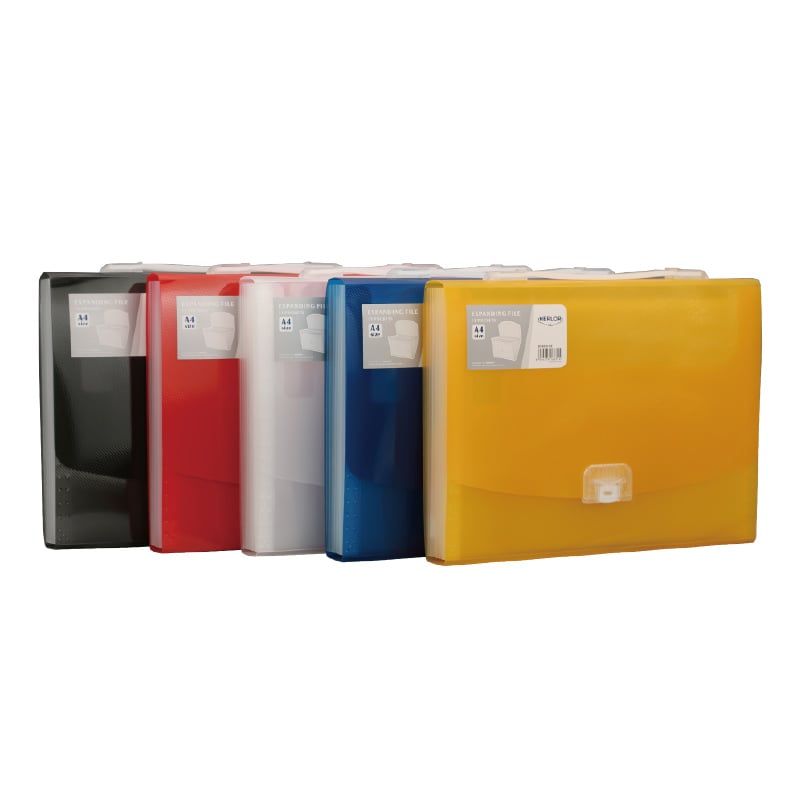
Understanding the Benefits of Expandable Filing Systems
Enhanced Document Capacity and Flexibility
An expanding file provides unmatched capacity compared to traditional folder systems, accommodating varying document volumes without requiring multiple storage containers. The accordion-style design allows users to adjust space allocation based on current needs, making it ideal for projects with fluctuating paperwork requirements. This flexibility becomes particularly valuable when handling seasonal documentation, client portfolios, or research materials that grow over time.
The expandable nature of these filing systems means you can start with minimal documentation and gradually add more sections as your organizational needs evolve. Unlike rigid filing cabinets that lock you into predetermined spacing, an expanding file adapts to your workflow, providing breathing room for both thin documents and thick file collections.
Visual Organization Through Color-Coded Systems
Colorful dividers serve as visual cues that dramatically reduce the time spent searching for specific documents. By assigning different colors to various categories—such as red for urgent items, blue for client correspondence, and green for financial documents—users create an intuitive navigation system. This visual organization method leverages natural human pattern recognition, making file retrieval nearly instantaneous.
Research in cognitive psychology demonstrates that color-coding improves information processing speed by up to 40% compared to text-only organization systems. When applied to document management, this translates to significant time savings and reduced stress levels during busy workdays. The psychological impact of organized, colorful systems also contributes to improved mental clarity and productivity.
Maximizing Efficiency with Pouch Pocket Features
Secure Storage for Small Items
Pouch pockets integrated into an expanding file system provide dedicated storage for small but essential items that often get lost in traditional filing methods. Business cards, USB drives, sticky notes, and receipt fragments find secure homes in these specialized compartments. This prevents the frustrating experience of hunting through entire file sections for tiny but crucial pieces of information.
The zippered or snap-closure design of quality pouch pockets ensures that valuable items remain secure during transport. For mobile professionals who frequently move between offices, client sites, or home workspaces, this security feature proves invaluable. Documents and accessories stay contained, preventing the organizational chaos that typically accompanies portable filing systems.
Multi-Functional Organization Capabilities
Modern expanding file designs incorporate multiple pouch configurations to accommodate diverse organizational needs. Some pockets feature clear windows for quick identification of contents, while others provide opaque storage for confidential materials. The variety of pocket sizes—from business card dimensions to letter-size capacity—creates a comprehensive organization ecosystem within a single portable unit.
These multi-functional capabilities transform a simple expanding file into a mobile office solution. Professionals can carry client presentations, contracts, reference materials, and office supplies in one organized container. This consolidation reduces the number of bags or cases needed for business travel while maintaining professional appearance and functionality.
Strategic Implementation of Color-Coded Organization
Developing Effective Categorization Systems
Creating an effective color-coding system requires thoughtful analysis of your document types and usage patterns. Begin by cataloging all document categories you regularly handle, then assign colors based on urgency, department, or project phases. Consistency across all filing systems—both physical and digital—reinforces the organizational logic and improves overall efficiency.
Industry professionals often adopt standardized color schemes that align with their specific work requirements. Legal professionals might use red for litigation files, blue for corporate matters, and green for real estate transactions. Healthcare administrators could assign colors based on department divisions or patient care categories. The key lies in selecting a system that mirrors your natural thought processes and workflow patterns.
Maintenance and System Evolution
Successful implementation of an expanding file system requires regular maintenance and periodic evaluation of organizational effectiveness. Monthly reviews help identify sections that have become overcrowded or color assignments that no longer serve their intended purpose. This proactive approach prevents the gradual degradation that affects many filing systems over time.
As business needs evolve, your expanding file organization should adapt accordingly. New project types, changing client bases, or modified workflow requirements might necessitate color reassignments or additional pocket configurations. Flexibility in your organizational approach ensures that your filing system continues serving as a productivity tool rather than becoming an obstacle to efficient work processes.
Professional Applications and Use Cases
Business and Corporate Environments
In corporate settings, expanding file systems serve multiple departmental functions while maintaining consistent organization standards. Sales teams use colorful dividers to separate prospect stages, from initial contact through contract closure. Marketing departments organize campaign materials, vendor communications, and performance metrics using distinct color schemes that facilitate quick project identification.
Human resources professionals particularly benefit from expanding file organization when managing employee documents, benefits information, and compliance materials. The pouch pocket features provide secure storage for sensitive items like access cards, small forms, or emergency contact information that require immediate availability but careful handling.
Educational and Academic Settings
Educational professionals rely on expanding file systems to manage diverse academic materials across multiple subjects or grade levels. Teachers organize lesson plans, student work samples, and administrative documents using color-coded systems that align with curriculum standards. The portable nature of these expanding file solutions enables smooth transitions between classrooms, meetings, and home preparation work.
Students pursuing advanced degrees find that expanding file organization supports their research methodology and literature review processes. Different colors can represent various research themes, while pouch pockets store interview recordings, survey materials, or reference citations. This systematic approach to academic organization improves research quality and reduces preparation time for presentations or thesis defense.
Selection Criteria for Quality Filing Solutions
Material Durability and Construction Quality
When selecting an expanding file system, material quality directly impacts long-term organizational success. High-grade polypropylene or reinforced cardboard construction ensures that dividers maintain their structural integrity despite frequent handling. Quality materials resist tearing, water damage, and general wear that can compromise document security and filing system functionality.
Professional-grade expanding file solutions feature reinforced binding mechanisms and heavy-duty closure systems that withstand daily use in demanding work environments. The investment in quality construction pays dividends through extended product lifespan and maintained organizational integrity. Inferior materials often lead to system failures that require complete reorganization and document transfer.
Size and Capacity Considerations
Proper sizing ensures that your expanding file system accommodates current needs while providing growth capacity for future requirements. Standard letter-size models work well for most office documentation, while legal-size options serve specialized professional needs. Consider both the number of divider sections and the overall expansion capacity when evaluating different models.
The relationship between portability and capacity requires careful balance based on your specific usage patterns. Mobile professionals might prioritize compact designs with essential features, while office-based users can accommodate larger expanding file systems with extensive pocket configurations and maximum document capacity.
Integration with Digital Organization Systems
Hybrid Physical-Digital Workflows
Modern organization strategies increasingly blend physical and digital filing systems, with expanding file solutions serving as bridges between these environments. Physical documents requiring signatures, original certificates, or legal authenticity remain in the expanding file system, while digital copies populate cloud-based storage for accessibility and backup purposes.
Color-coding systems translate effectively between physical and digital environments, with folder colors in computer systems mirroring the physical divider assignments. This consistency reinforces organizational logic and reduces cognitive load when switching between physical and digital document access methods.
Technology Enhancement Opportunities
Innovative expanding file users incorporate technology enhancements like QR codes or digital tags that link physical sections to corresponding digital repositories. This hybrid approach maximizes the benefits of both storage methods while maintaining the visual and tactile advantages of physical organization systems.
Document scanning applications can digitize expanding file contents for backup purposes while maintaining the original physical organization structure. This redundancy provides security against document loss while preserving the accessibility benefits that make expanding file systems so effective for daily workflow management.
Frequently Asked Questions
How many divider sections should I include in my expanding file system
The optimal number of divider sections depends on your specific organizational needs and document volume. Most professionals find that 12 to 24 sections provide sufficient categorization without becoming overwhelming. Start with broader categories and subdivide as your filing needs become more complex. Remember that too many sections can slow down filing and retrieval processes.
What color-coding system works best for general business use
A practical business color-coding system might include red for urgent or deadline-sensitive documents, blue for client correspondence, green for financial materials, yellow for internal communications, and orange for reference documents. However, the most effective system aligns with your natural thinking patterns and existing organizational habits.
How do I maintain organization when my expanding file becomes full
Regular maintenance prevents overcrowding in your expanding file system. Schedule monthly reviews to archive completed projects, dispose of outdated documents, and redistribute materials across sections. Consider implementing a rotation system where older documents move to long-term storage while active materials remain easily accessible in your primary expanding file.
Can expanding file systems work for home organization projects
Expanding file systems excel in home organization applications, particularly for managing household paperwork, warranties, tax documents, and personal projects. Use colorful dividers to separate categories like utilities, insurance, medical records, and family documents. The portability makes it easy to access important papers during emergencies or when meeting with financial advisors.
Table of Contents
- Understanding the Benefits of Expandable Filing Systems
- Maximizing Efficiency with Pouch Pocket Features
- Strategic Implementation of Color-Coded Organization
- Professional Applications and Use Cases
- Selection Criteria for Quality Filing Solutions
- Integration with Digital Organization Systems
- Frequently Asked Questions
