 EN
EN


Maintaining and cleaning your clear file properly is essential for ensuring its longevity and optimal performance in professional settings. Whether you're using a clear file for document storage, display purposes, or organizational tasks, proper maintenance techniques can significantly extend its useful life while preserving its transparency and structural integrity. Professional-grade clear files require specific care protocols that differ from standard document holders, making it crucial to understand the proper methods for keeping these valuable organizational tools in pristine condition.
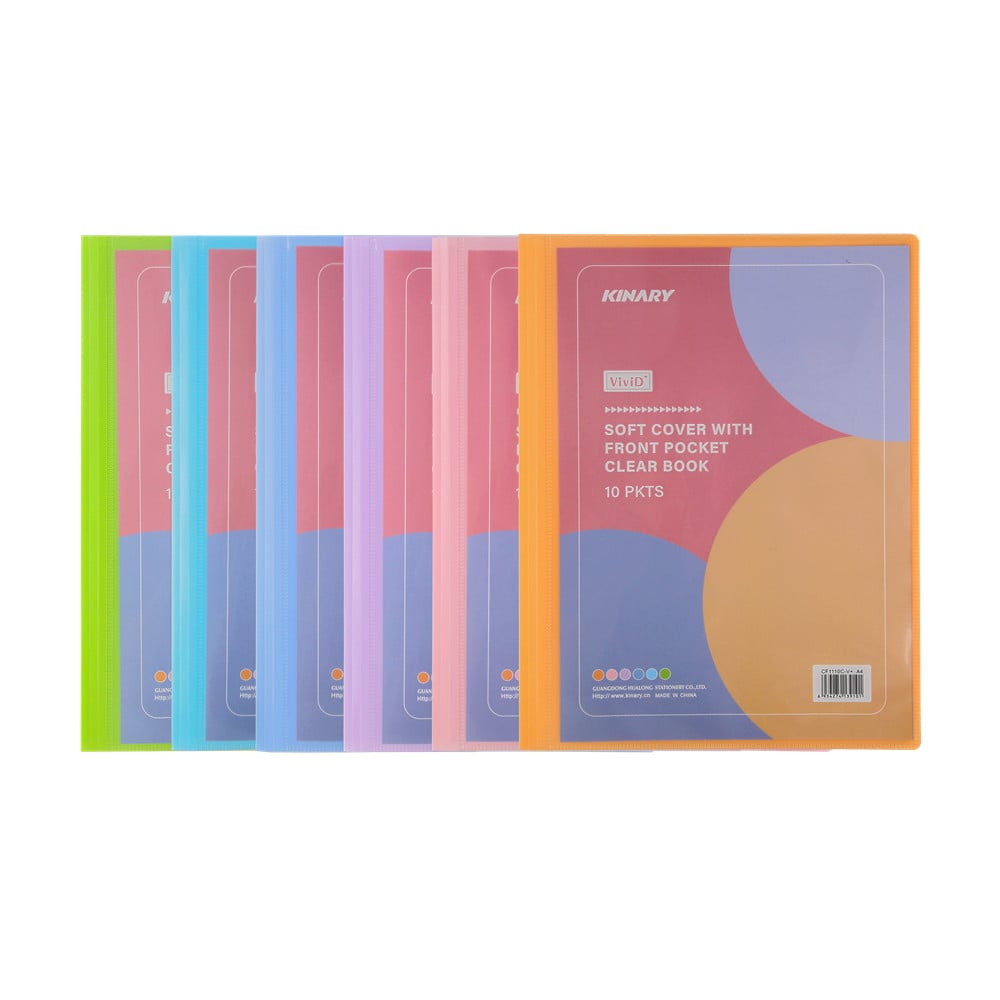
The importance of regular maintenance cannot be overstated when it comes to preserving the functionality and appearance of your clear file system. Dust, fingerprints, and environmental contaminants can quickly accumulate on the surface, reducing visibility and potentially damaging the material over time. By implementing a structured cleaning routine, you can maintain the professional appearance of your clear file while ensuring that documents remain easily visible and accessible to users.
Understanding Clear File Materials and Construction
Common Materials Used in Clear File Manufacturing
Most clear file products are manufactured using high-quality polypropylene or PVC materials that offer excellent transparency and durability. These materials are specifically chosen for their resistance to cracking, yellowing, and general wear from frequent handling. Understanding the material composition of your clear file is crucial because different plastics require different cleaning approaches to avoid damage or degradation.
Polypropylene clear files are generally more resistant to chemical cleaners and can withstand slightly more aggressive cleaning methods. PVC variants, while often more flexible, may be sensitive to certain solvents and require gentler treatment. Always check the manufacturer's specifications before selecting cleaning products to ensure compatibility with your specific clear file model.
Structural Components and Vulnerable Areas
Clear files typically feature reinforced edges, binding mechanisms, and protective corners that require special attention during maintenance. These structural elements are often the first areas to show signs of wear and may accumulate debris more readily than smooth surfaces. The binding area, in particular, can trap dust and small particles that may interfere with the file's opening and closing mechanism.
Corner protectors and edge reinforcements should be inspected regularly for cracks or separation from the main body of the clear file. These areas are critical for maintaining the structural integrity of the entire unit and protecting the documents stored within. Any signs of damage should be addressed promptly to prevent further deterioration.
Essential Cleaning Supplies and Preparations
Selecting Appropriate Cleaning Solutions
The choice of cleaning solution is paramount when maintaining your clear file system. Mild dish soap mixed with lukewarm water provides an excellent starting point for general cleaning tasks. This solution is gentle enough to avoid damage while being effective at removing most common contaminants. Avoid harsh chemicals such as acetone, bleach, or ammonia-based cleaners, as these can cause cloudiness or cracking in plastic materials.
For more stubborn stains or adhesive residue, isopropyl alcohol at a concentration of 70% or less can be used sparingly. Always test any cleaning solution on an inconspicuous area first to ensure it won't cause discoloration or surface damage. Commercial plastic cleaners specifically designed for office equipment can also be effective, but should be used according to manufacturer instructions.
Tools and Equipment for Effective Cleaning
Microfiber cloths are the gold standard for cleaning clear file surfaces without introducing scratches or lint. These specialized fabrics trap particles effectively while being gentle on plastic surfaces. Avoid paper towels or rough cloths that can create micro-scratches, which will reduce transparency over time. Cotton swabs are invaluable for reaching tight corners and crevices where debris tends to accumulate.
Soft-bristled brushes, such as clean toothbrushes, can be useful for addressing textured areas or stubborn debris in binding mechanisms. A spray bottle for applying cleaning solutions in controlled amounts helps prevent over-wetting, which can lead to water damage or warping. Keep all cleaning supplies organized and readily accessible to encourage regular maintenance routines.
Step-by-Step Cleaning Procedures
Surface Cleaning and Debris Removal
Begin the cleaning process by removing all documents and contents from your clear file to allow unrestricted access to all surfaces. Gently shake the file to dislodge loose debris, then use a soft brush or compressed air to remove particles from corners and crevices. This preliminary step prevents scratching during the wet cleaning process by eliminating abrasive materials.
Apply your chosen cleaning solution to a microfiber cloth rather than directly to the clear file surface. This approach provides better control over the amount of moisture applied and prevents liquid from seeping into binding mechanisms or corner joints. Work in small sections, using gentle circular motions to lift dirt and fingerprints without applying excessive pressure.
Deep Cleaning for Stubborn Stains
For persistent stains or marks that resist standard cleaning methods, create a paste using baking soda and water. Apply this mixture to the affected area and let it sit for several minutes before gently working it in with a soft cloth. The mild abrasive action of baking soda can help remove stubborn residues without damaging the clear file surface.
Adhesive residue from labels or tape requires special attention and may need multiple treatment cycles. Apply a small amount of vegetable oil or commercial adhesive remover to soften the residue, then carefully scrape with a plastic scraper or old credit card. Always follow up with standard cleaning procedures to remove any oily residue that might attract future dirt accumulation.
Preventive Maintenance Strategies
Environmental Considerations and Storage
Proper storage environment plays a crucial role in maintaining your clear file's condition between uses. Avoid exposing clear files to direct sunlight for extended periods, as UV radiation can cause yellowing and brittleness in plastic materials. Temperature fluctuations should also be minimized, as repeated expansion and contraction can lead to stress fractures and reduced transparency.
Humidity control is equally important, as excessive moisture can promote mold growth and cause warping in some materials. Store clear files in a clean, dry environment with stable temperature and humidity levels. Consider using silica gel packets in storage areas to absorb excess moisture and maintain optimal conditions for plastic preservation.
Handling Best Practices
Developing proper handling techniques can significantly reduce the frequency and intensity of cleaning required for your clear file. Always handle files with clean hands to minimize the transfer of oils and contaminants to the surface. When possible, handle files by their edges or reinforced areas rather than flat surfaces to reduce fingerprint accumulation.
Implement a rotation system for frequently used clear files to distribute wear evenly across your collection. This approach prevents overuse of specific units and allows for regular inspection and maintenance of the entire system. Train all users on proper handling techniques to ensure consistent care standards across your organization.
Troubleshooting Common Issues
Addressing Cloudiness and Discoloration
Cloudiness in clear files can result from micro-scratches, chemical exposure, or natural aging of the plastic material. Minor cloudiness may be improved through careful polishing with a plastic polish specifically designed for transparent materials. Apply the polish according to manufacturer directions, working in small sections with a clean microfiber cloth.
Yellowing or discoloration typically indicates UV damage or chemical contamination that may be irreversible. Prevention through proper storage and handling is more effective than attempting to restore severely discolored materials. If discoloration is minimal, gentle cleaning with a diluted bleach solution may help, but test this approach on an inconspicuous area first.
Mechanical Issues and Repairs
Binding mechanisms that become stiff or difficult to operate may benefit from light lubrication with a silicone spray specifically designed for plastics. Avoid petroleum-based lubricants, which can cause plastic degradation over time. Apply lubricant sparingly and work the mechanism several times to distribute it evenly.
Small cracks or tears in clear file materials can sometimes be stabilized using clear plastic repair tape applied to both sides of the damage. While this won't restore the original transparency, it can prevent further deterioration and extend the useful life of the file. For significant structural damage, replacement is usually the most cost-effective solution.
Professional Maintenance Services
When to Consider Professional Cleaning
Large organizations with extensive clear file collections may benefit from professional cleaning services that specialize in office equipment maintenance. These services have access to commercial-grade cleaning equipment and specialized solutions that can restore heavily soiled or damaged files more effectively than standard cleaning methods.
Professional services are particularly valuable when dealing with contamination from adhesives, permanent markers, or other challenging substances that require specialized removal techniques. The cost of professional cleaning should be weighed against the replacement cost of the clear files and the value of maintaining a professional appearance in your workspace.
Bulk Maintenance Programs
Consider implementing a scheduled bulk maintenance program for large clear file collections. This approach can be more cost-effective than individual file maintenance and ensures consistent care standards across all units. Professional services can often provide maintenance contracts that include regular inspection, cleaning, and minor repairs as needed.
Document the maintenance history of your clear file collection to track performance and identify patterns that might indicate environmental issues or handling problems. This information can be valuable for optimizing maintenance schedules and preventing future problems through improved storage or handling procedures.
FAQ
How often should I clean my clear file?
The cleaning frequency depends on usage intensity and environmental conditions. For daily-use clear files in office environments, weekly cleaning is recommended. Files used less frequently can be cleaned monthly or as needed when contamination becomes visible. Always inspect files regularly for signs of damage or excessive soiling that might require immediate attention.
Can I use window cleaner on my clear file?
While some window cleaners may be safe for clear files, many contain ammonia or other chemicals that can damage plastic materials over time. It's safer to use mild soap solutions or cleaners specifically designed for plastic surfaces. Always test any new cleaning product on an inconspicuous area before applying it to the entire surface.
What should I do if my clear file develops permanent stains?
Permanent stains may indicate chemical damage to the plastic that cannot be fully reversed. Try gentle cleaning with baking soda paste or specialized plastic cleaners, but avoid harsh abrasives that might worsen the damage. If stains significantly impact visibility or professional appearance, replacement may be the best option.
Is it safe to put clear files in the dishwasher?
Dishwashers are not recommended for clear file cleaning due to the high temperatures and harsh detergents used in automatic washing cycles. The heat can cause warping or melting, while dishwasher detergents may contain chemicals that damage plastic surfaces. Hand washing with mild soap and lukewarm water is always the safer approach for maintaining your clear file collection.
